![ExPrep Logos 6.6.24_Black-2.png]](https://support.excelpreparation.com/hs-fs/hubfs/ExPrep%20Logos%206.6.24_Black-2.png?height=40&name=ExPrep%20Logos%206.6.24_Black-2.png)
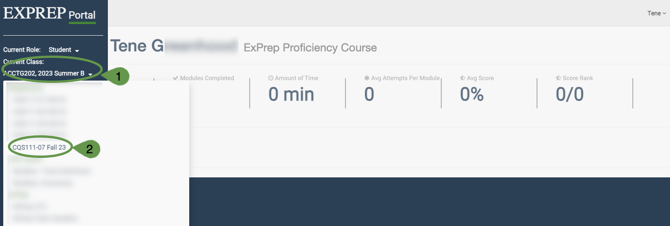
If you are enrolled in more than one course you can toggle between the courses by:
➡️Log into your ExPrep Portal
➡️ Drop Down button next to Current Class
➡️Select a different class from the list
If you are enrolled in more than one course you can toggle between the courses by:
➡️Log into your ExPrep Portal
➡️ Drop Down button next to Current Class
➡️Select a different class from the list