![ExPrep Logos 6.6.24_Black-2.png]](https://support.excelpreparation.com/hs-fs/hubfs/ExPrep%20Logos%206.6.24_Black-2.png?height=40&name=ExPrep%20Logos%206.6.24_Black-2.png)
Below you will find directions on how to update the name of your ExPrep Course. This might be necessary for your own organizational purposes or because the course name that was generated by the LMS is not how you would like it to be displayed.
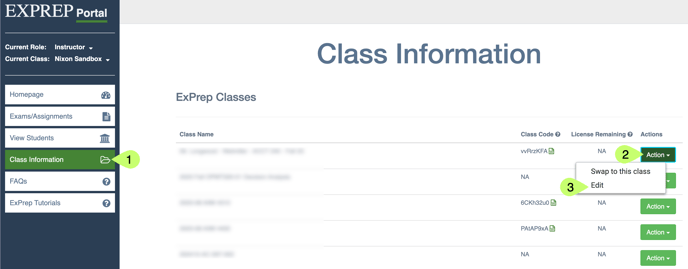
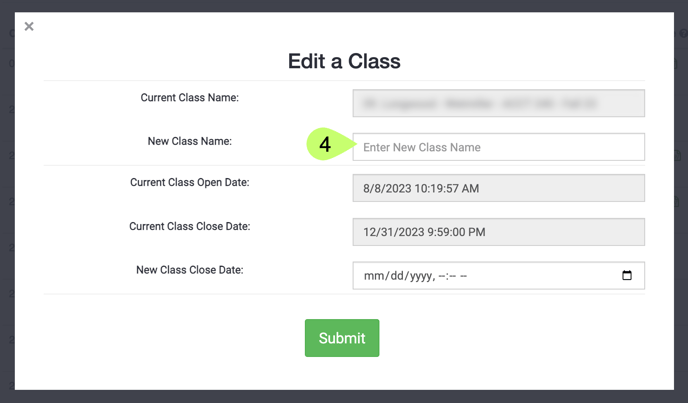
To update the name of your ExPrep course:
- ➡️ Class Information tab
- Locate the appropriate class, ➡️ Action
- ➡️ Edit
- ➡️ New Class Name
- ➡️ Submit