![ExPrep Logos 6.6.24_Black-2.png]](https://support.excelpreparation.com/hs-fs/hubfs/ExPrep%20Logos%206.6.24_Black-2.png?height=40&name=ExPrep%20Logos%206.6.24_Black-2.png)
To add different time slots to your assignment:
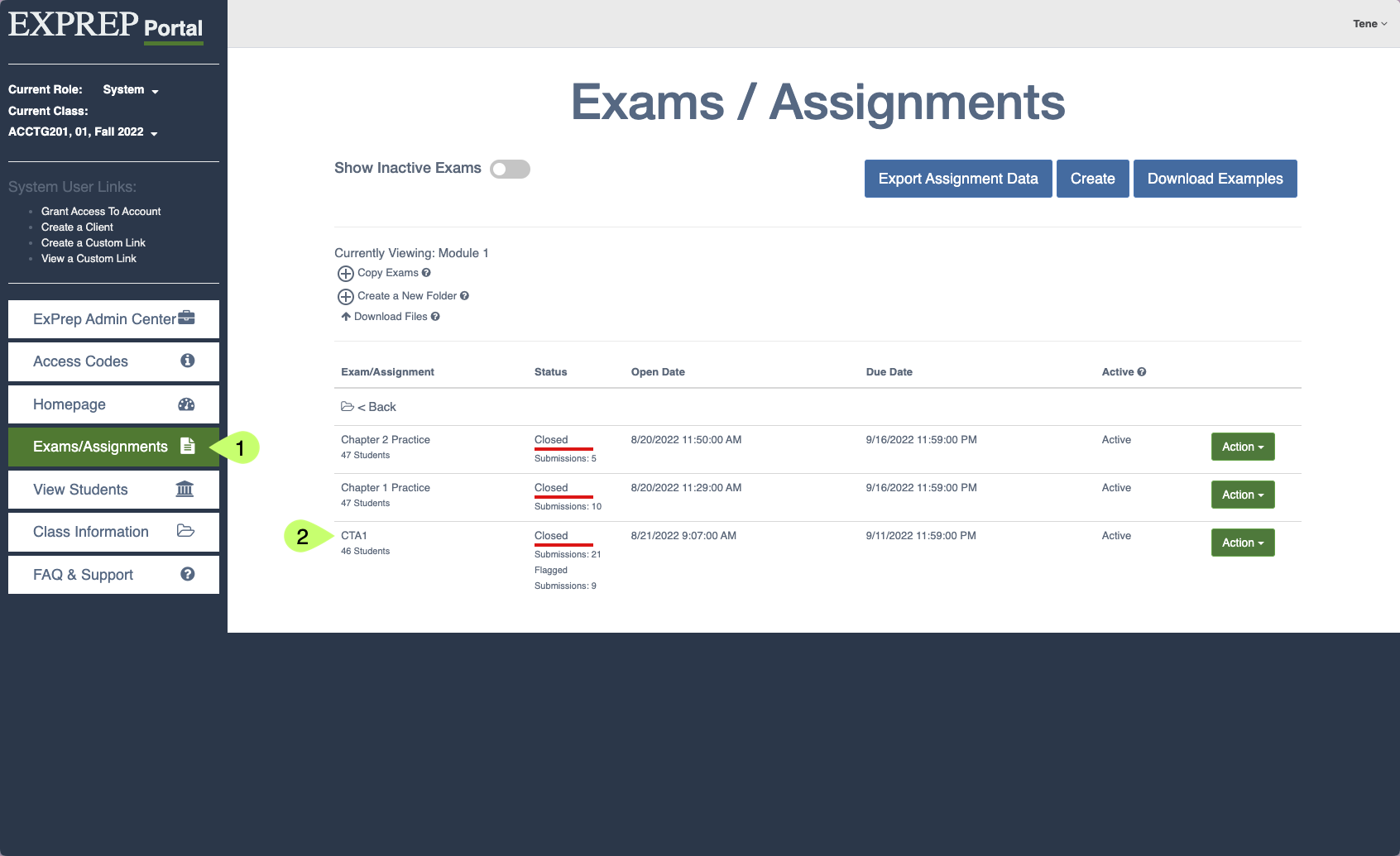
- Navigate to the appropriate assignment within the ExPrep Portal.
- ➡️ Click on the assignment name to open the assignment settings
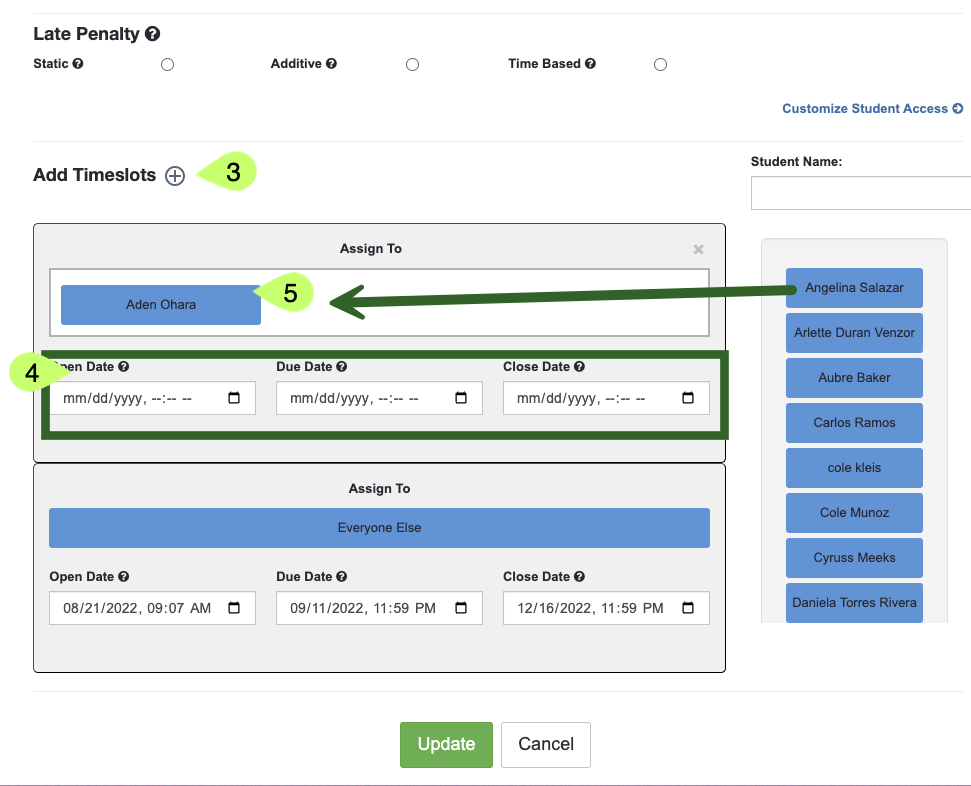
- Scroll down to the Add Time slots section of the assignment settings
- ➡️ Click the plus button next to Add Timeslots to create a new time slot
- Add the appropriate dates for the new time slot
- Drag students from the student list into the Assign To area of the new time slot
- ➡️ Click Update