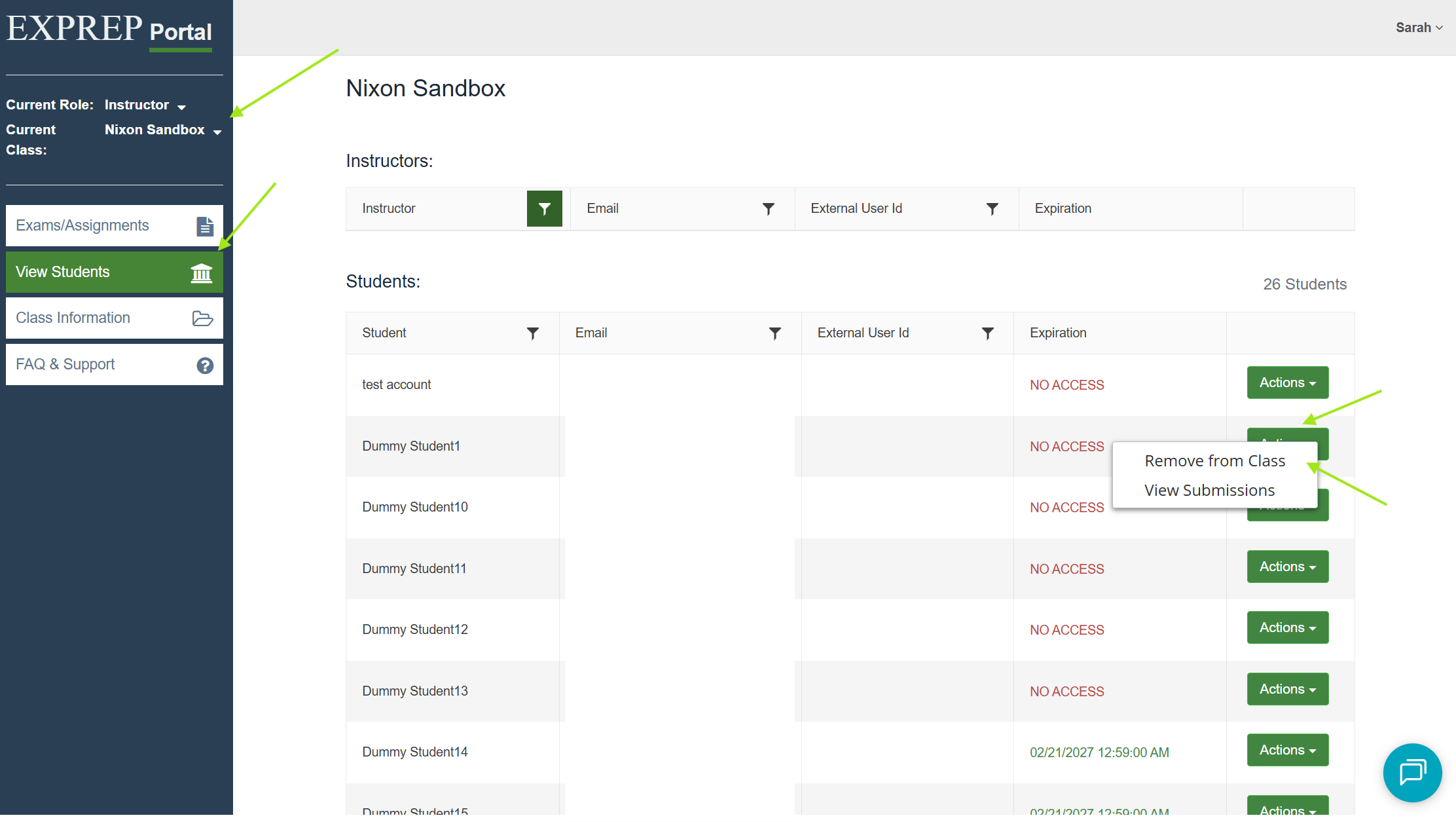
To remove a student from your class:
- Log into your ExPrep Portal
- Select the relevant course
- ➡️ View Students tab
- ➡️ Action dropdown menu
- ➡️ Remove from Class
If you need additional assistance, reach out to the support team.
![ExPrep Logos 6.6.24_Black-2.png]](https://support.excelpreparation.com/hs-fs/hubfs/ExPrep%20Logos%206.6.24_Black-2.png?height=40&name=ExPrep%20Logos%206.6.24_Black-2.png)
To remove a student from your class:
If you need additional assistance, reach out to the support team.