![ExPrep Logos 6.6.24_Black-2.png]](https://support.excelpreparation.com/hs-fs/hubfs/ExPrep%20Logos%206.6.24_Black-2.png?height=40&name=ExPrep%20Logos%206.6.24_Black-2.png)
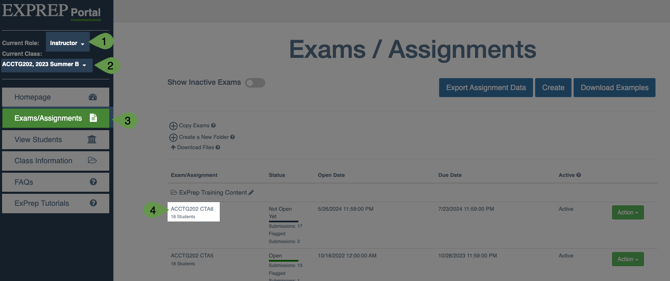
- Log into your ExPrep Portal
- Ensure that you are in the correct class
- ➡️ Exams/Assignments tab
- Locate the assignment that needs updated
- Select the assignment name
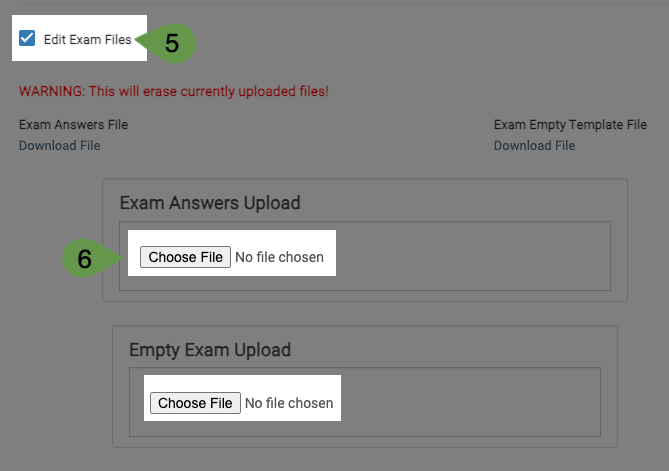
- ➡️ Edit Exam Files check box
- ➡️ Choose File button
- Locate and upload the new file(s)
Note: Both are not required to be replaced; if only the empty file needs to be replaced, for example, then it is fine to only replace the empty file. - ➡️ Update button