![ExPrep Logos 6.6.24_Black-2.png]](https://support.excelpreparation.com/hs-fs/hubfs/ExPrep%20Logos%206.6.24_Black-2.png?height=40&name=ExPrep%20Logos%206.6.24_Black-2.png)
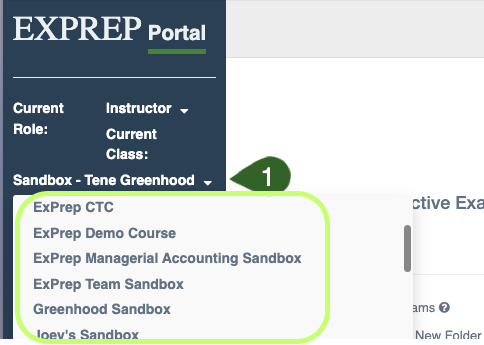
To view a different course that is associated with your account:
- Select the drop-down menu next to the name of the course you are currently viewing
- Select the appropriate course that you would like to view
⚠️ If one of your courses disappears, it is most likely because the course has closed based on the course open/close dates. If you need to see a class that is now closed, check out this article: Viewing Closed Courses